 DoseTracker
Your GLP-1 journey deserves more than a notes app.
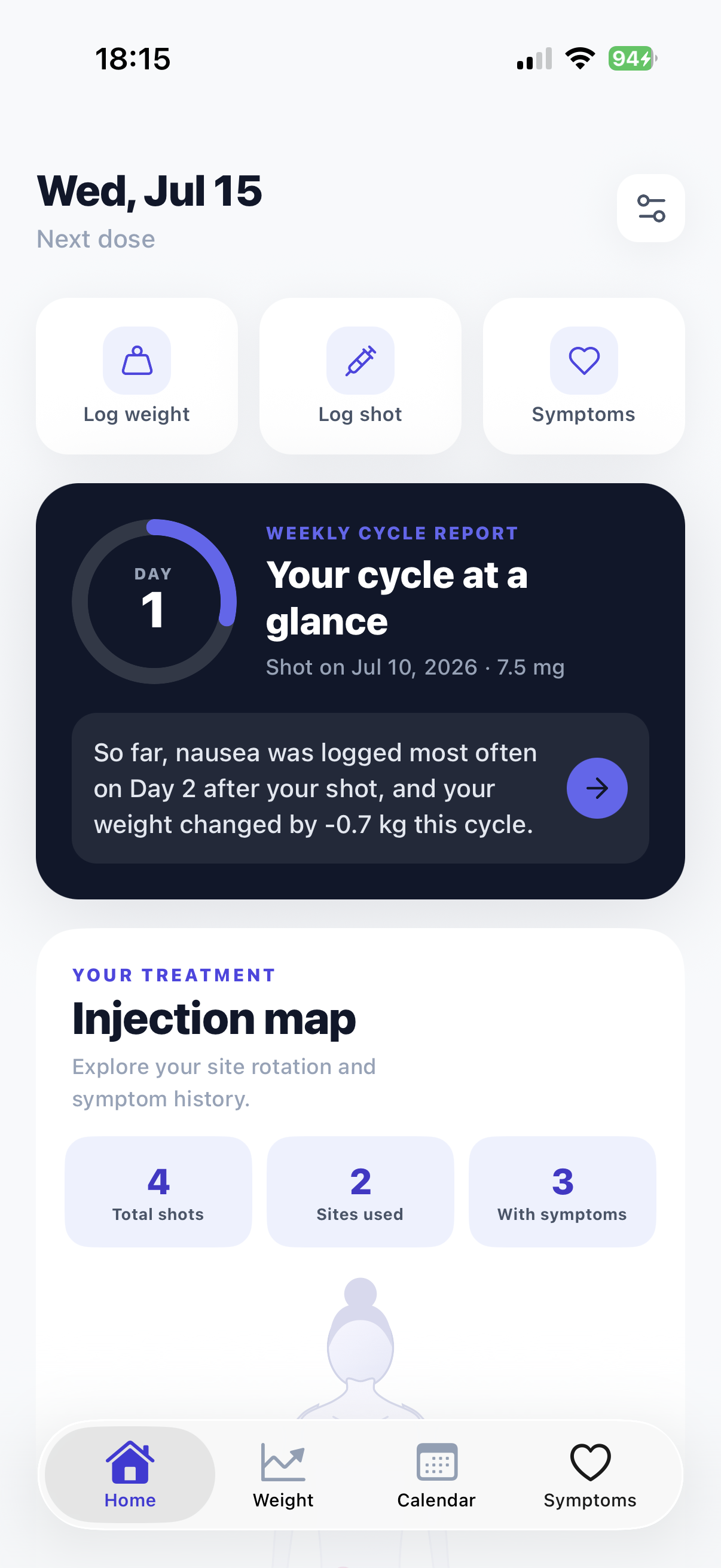
DoseTracker logs your weekly shot, rotates your injection sites on a visual body map, and turns your weight and side-effect check-ins into patterns you can actually see — and share with your doctor.
Free to download · No account or email required
- Private by design
- Built for weekly GLP-1 cycles
- iOS widget included
Everything your treatment asks you to remember, in one place
Shot day, injection site, how you felt on day 2, what the scale said — DoseTracker keeps it, so your head doesn't have to.
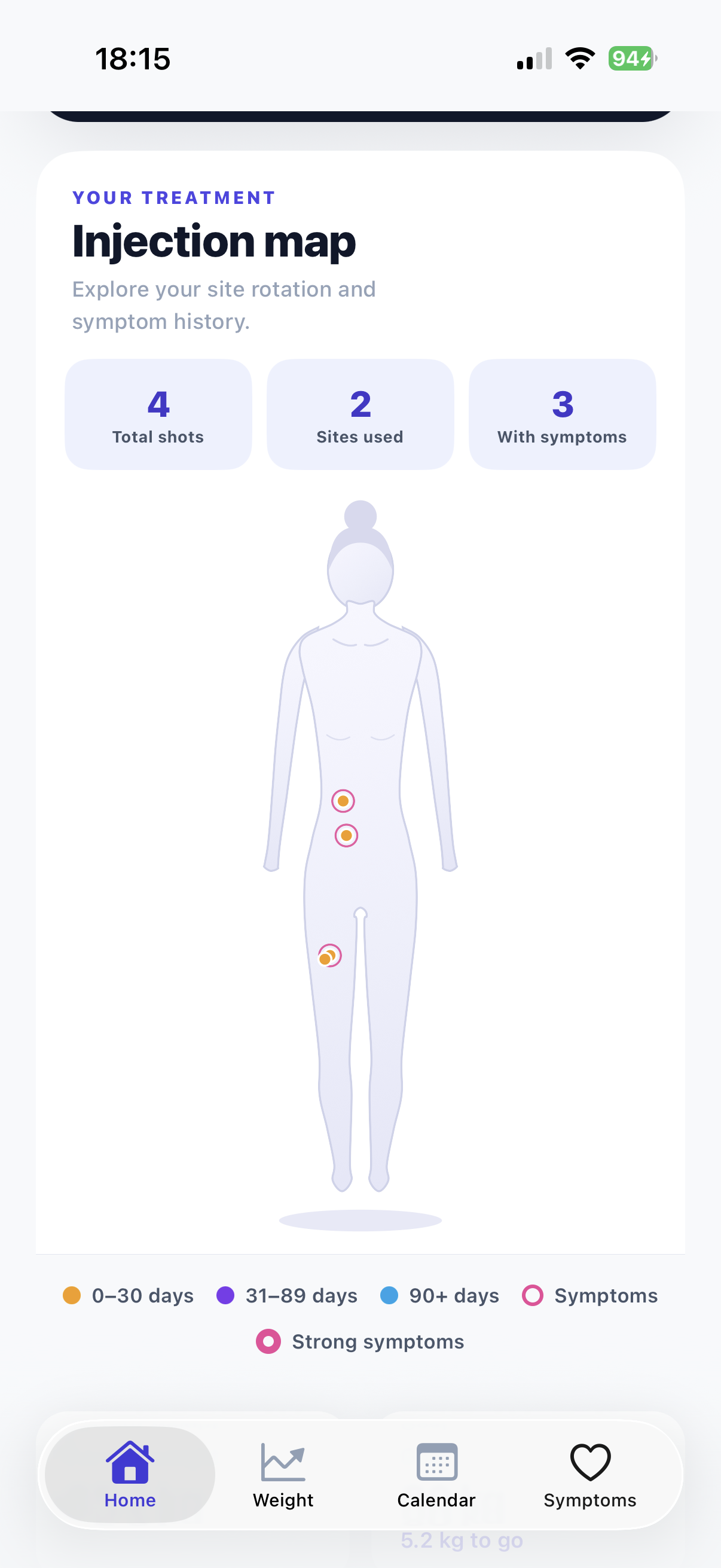
Injection site map
A visual body map shows every site you've used and how long ago — so rotating sites stops being guesswork.
Shot-cycle journal
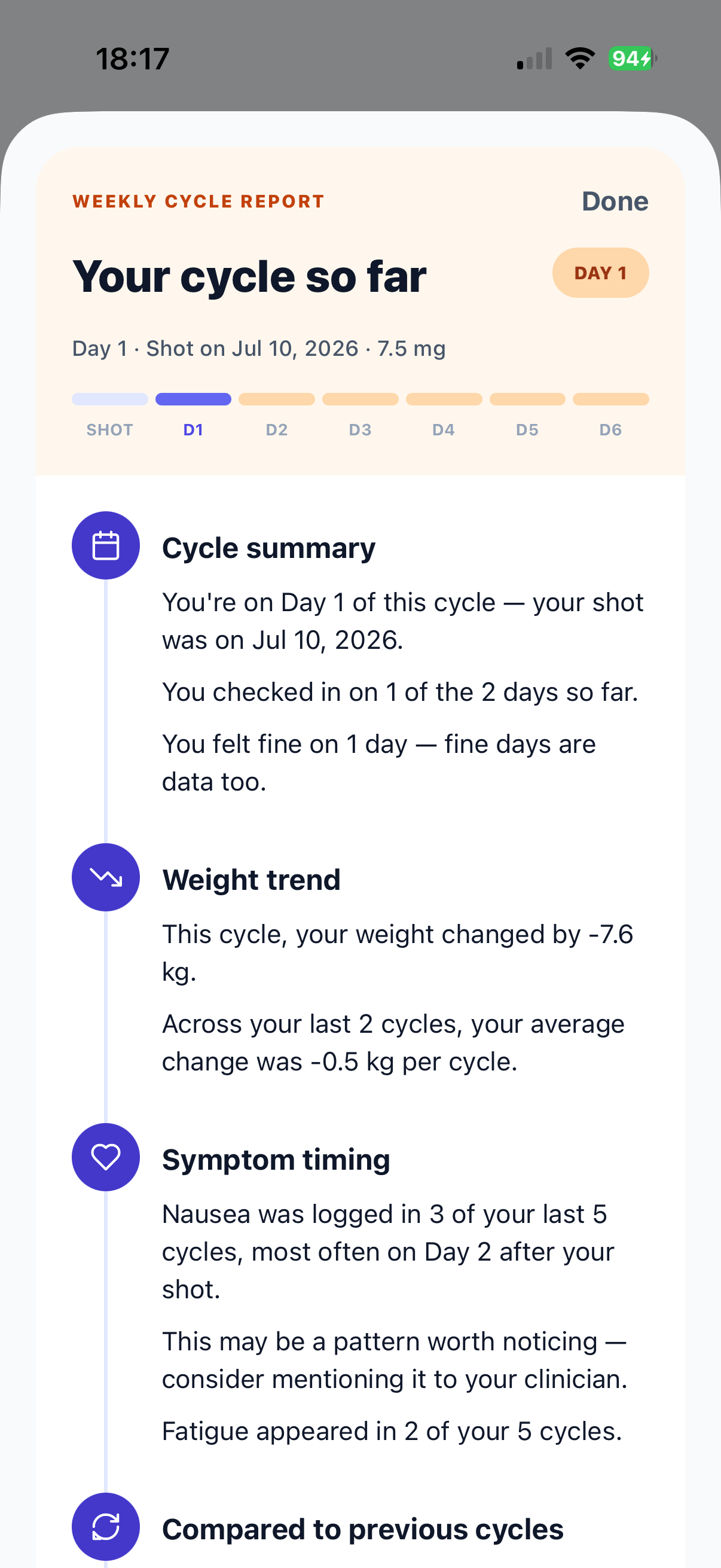
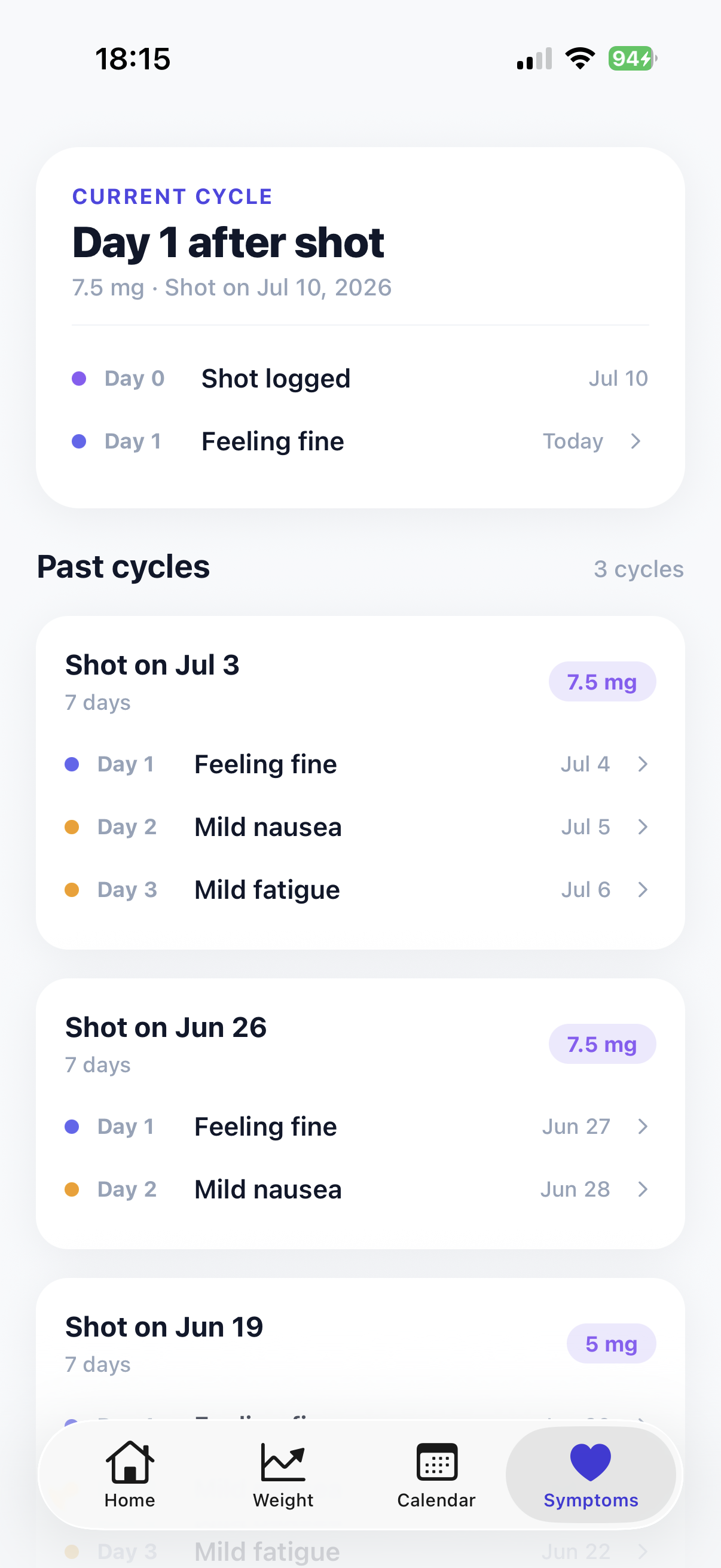
Days are organized around your shot — Day 0, Day 1, Day 2 — so "nausea on day 2" becomes a pattern, not a mystery.
Weight journey
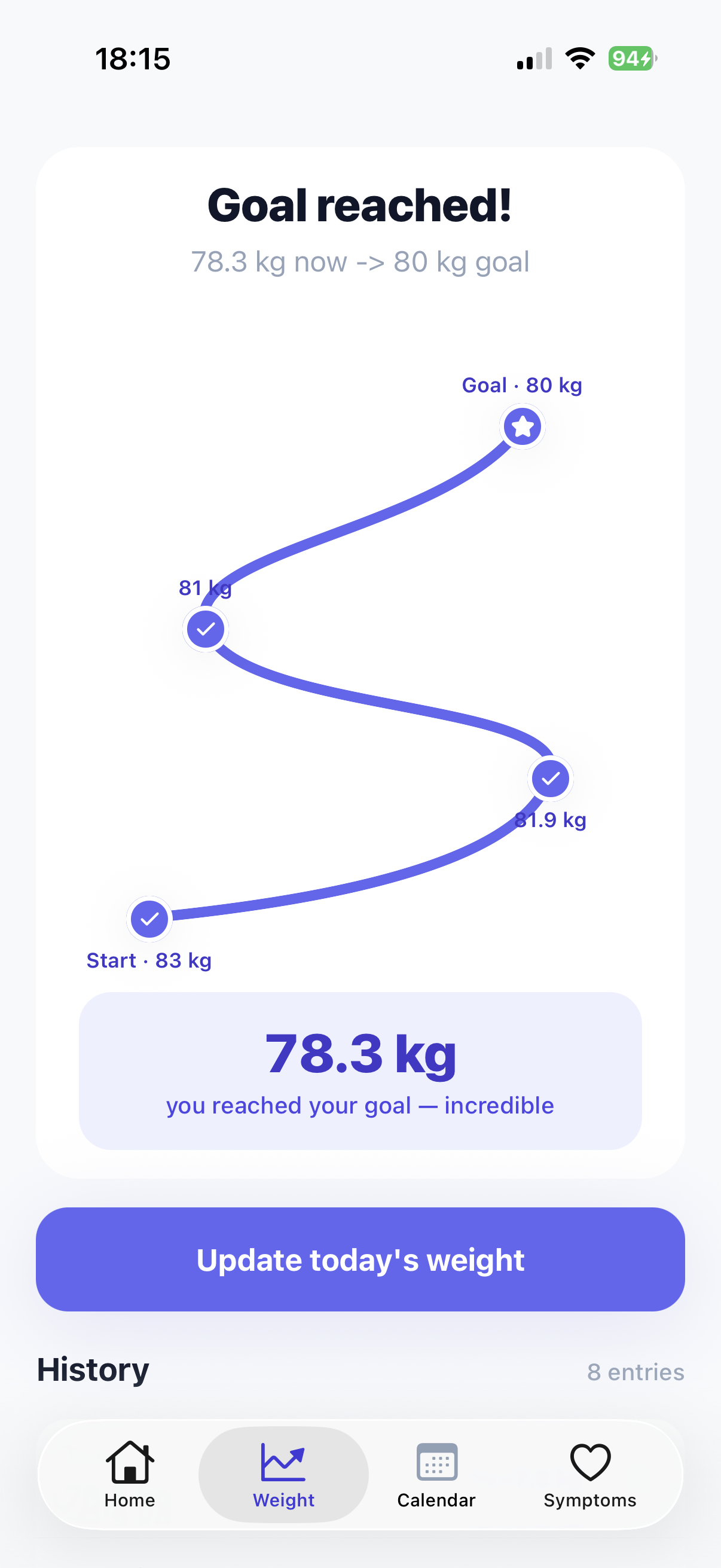
Log weigh-ins in seconds and watch the trend from your start weight to your goal — kg or lb.
Reminders & widget
A reminder on shot day and a home-screen widget with your next dose, so you never have to count back weeks.
Doctor-ready report
Export a clean PDF of your medication, weight and symptom history for your next appointment.
Private by design
No account, no email, no ads. Anonymous sync protects data within the current app installation.
Calm, clear, and made for shot day
Three small habits. One clear picture.
Log your shot
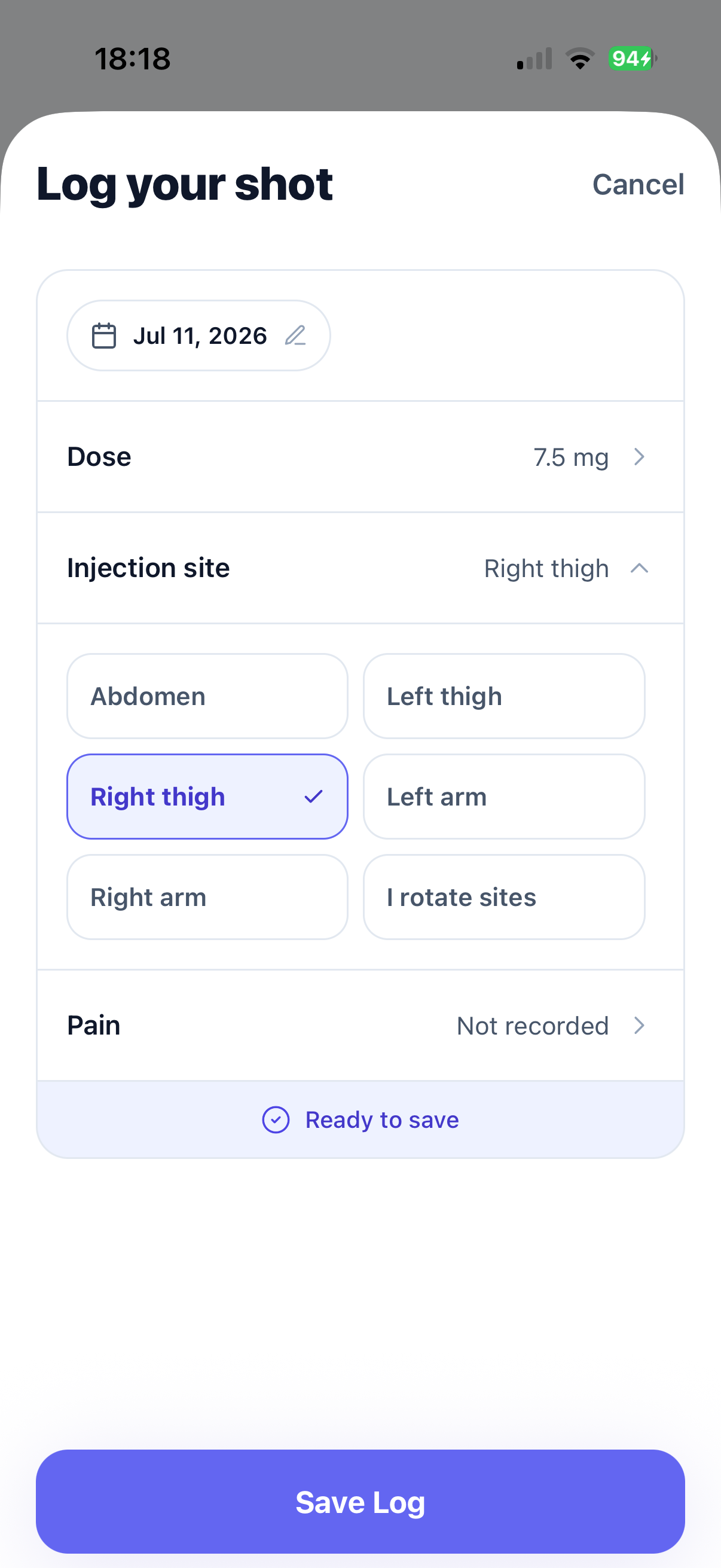
On shot day, record your dose, where you injected and how it felt — it takes about ten seconds. The injection map remembers the site so next week you rotate without thinking.
Check in on how you feel
Quick daily check-ins built around your cycle. Feeling fine? That's one tap — and it's data too. Nausea or fatigue? Tap the symptom, set mild or strong, done.
See your patterns
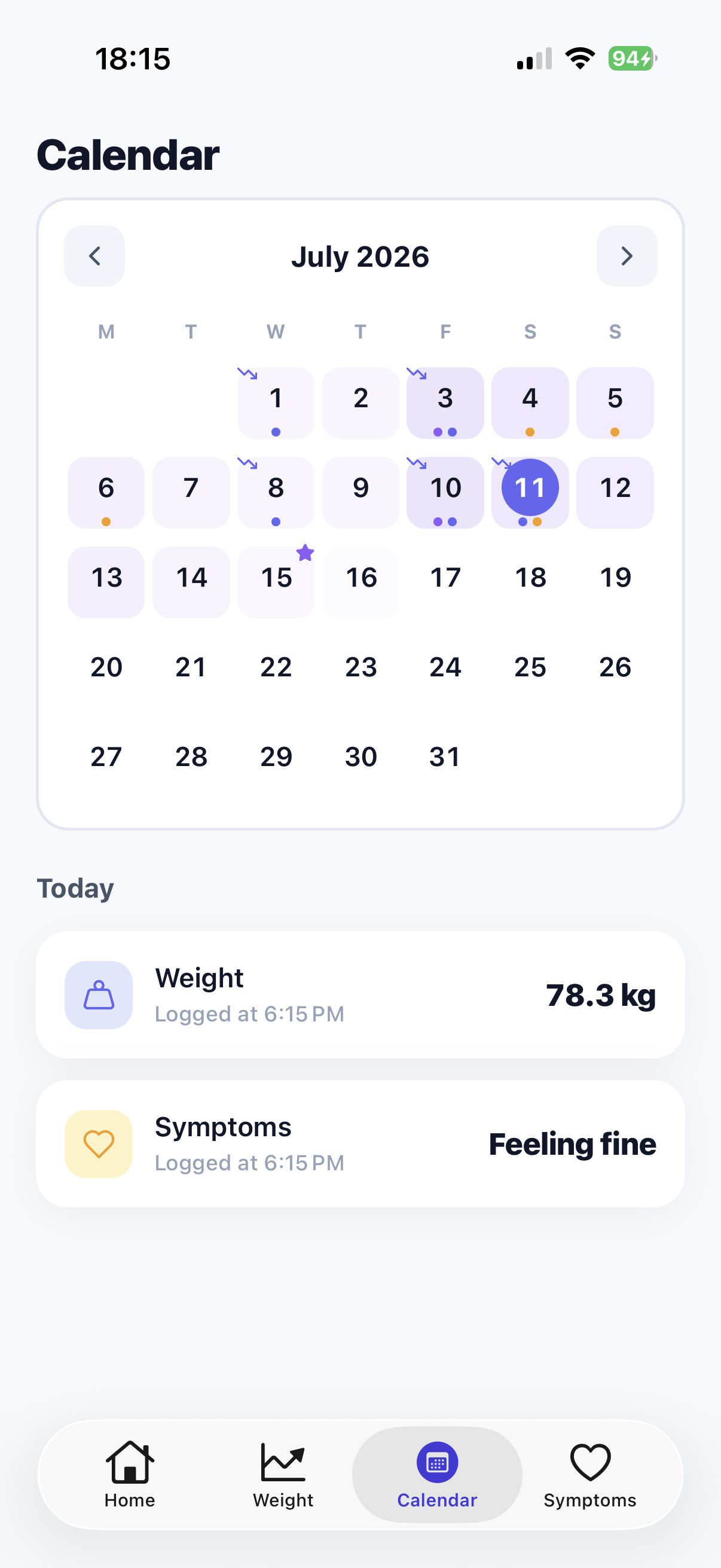
The weekly cycle report connects the dots from your own logs: symptom timing, weight trend, cycle-to-cycle comparison — and a PDF export for your doctor.
Answers for the questions every GLP-1 patient googles
Practical, plain-language guides — plus how to put the answer on autopilot with DoseTracker.
Injection site rotation: where to inject and how to rotate
Stomach, thigh or arm? Why rotating matters, and a simple weekly rotation that protects your skin.
Read the guide → DosingMissed your GLP-1 dose? Here's what to do
The window for a late Ozempic, Wegovy, Mounjaro or Zepbound dose — and how to stop missing shot day.
Read the guide → Side effectsOzempic nausea: when it starts and how long it lasts
Why nausea often peaks a day or two after your shot, and how tracking its timing helps you and your doctor.
Read the guide → Weekly cycleWhat to expect each day after your weekly shot
Day 0 to Day 6: how a GLP-1 week tends to unfold and why thinking in cycles beats thinking in dates.
Read the guide → ProgressHit a weight plateau on a GLP-1? How to tell for sure
Normal stalls vs. a true plateau, and the tracking habits that show the difference before you panic.
Read the guide → Understanding GLP-1sWhat is "food noise" — and how do GLP-1s quiet it?
The constant background chatter about food, why it fades on medication, and how to notice the change.
Read the guide → AppointmentsWhat to bring to your GLP-1 follow-up appointment
The questions your prescriber will ask, and a checklist so your five-minute slot actually counts.
Read the guide → Injection basicsDo GLP-1 injections hurt? How to make shots easier
What stinging after a shot usually means, technique tweaks that help, and when to mention it to your doctor.
Read the guide →Frequently asked questions
Which GLP-1 medications does DoseTracker support?
DoseTracker supports Ozempic®, Wegovy®, Mounjaro®, Zepbound®, Saxenda®, Victoza® and Rybelsus®. Users manually record the dose and schedule shown on their prescription; DoseTracker does not recommend or determine dosage. Learn more about weekly GLP-1 cycles →
How does the injection site map help with rotation?
Every shot you log is pinned to a body map with a color showing how recently each site was used, so you can see at a glance which spots need a rest. Learn more about injection site rotation →
Can DoseTracker remind me when my shot is due?
Yes — set a reminder for your shot day and hour, and add the Next Dose widget to your home screen so the countdown is always visible. Learn more about never missing a dose →
How do symptom check-ins work?
Check-ins take a few taps: "feeling fine" is one tap, or pick symptoms like nausea or fatigue and mark them mild or strong. Logs are organized by cycle day, which is how side-effect patterns become visible. Learn more about side-effect timing →
Can I share my data with my doctor?
Yes — export a clean PDF report of your medication history, weight trend and symptom summary, formatted for a quick read during your appointment. Learn more about preparing for your follow-up →
Do I need an account? What happens to my data?
No account and no email. Your logs live on your device and sync under an anonymous ID for this installation. Deleting the app removes access to that anonymous cloud record. See the privacy policy for details.
Does DoseTracker give medical or dosing advice?
No. DoseTracker is a tracking tool: it records what you log and shows observations from your own history. It never recommends doses or treatment changes — those decisions belong with your prescriber. Read the terms →
Is DoseTracker affiliated with the medication manufacturers?
No. DoseTracker is an independent app and is not affiliated with or endorsed by Novo Nordisk, Eli Lilly or any pharmaceutical company. Brand names are used only to identify the medications users track.
Start your first cycle today
Two minutes of setup. No account. Your next shot, sites, weight and symptoms — finally in one place.
Download on theApp Store